If most of the music on your phone comes from files you already own rather than a streaming subscription, finding a good offline player matters more than people sometimes realize. A basic system player can open an MP3, but once you want synced lyrics, a proper equalizer, playlists, FLAC support, background playback, sleep timers, video playback, or better library organization, the limitations become obvious.
That is where Lark Player app download comes in. Lark Player is a free media player built primarily around local music and video playback. Instead of requiring you to maintain a Spotify-style streaming subscription, it scans compatible media stored on your Android phone and gives you a much more customizable way to organize and play it.
I particularly like that Lark Player does not treat audio and video as two completely separate experiences. You can use it as an MP3 player during a workout, play a FLAC album with an equalizer at home, open an MKV video later, and then use the floating player while checking another app.
There is one important point to clear up immediately, though. As of 2026, the main Lark Player music and video app is officially available for Android, not iOS. You may encounter other apps carrying the word “Lark” in Apple's App Store, including a separate Lark Video Player from the same company, but that is not the full Android Lark Player covered in this review.
With that distinction out of the way, here is everything worth knowing before downloading and setting up Lark Player.
I. Introduction to Lark Player
A. What Is Lark Player?
Lark Player is an Android music and video player designed primarily for media files stored locally on your device.
In simple terms, it can replace the basic music player that came with your phone.
Once installed, the app scans compatible media files and organizes them by categories such as songs, albums, artists, playlists, genres, and folders. You can then play music without keeping a constant internet connection.
It supports far more than basic MP3 playback. Lark Player includes an equalizer, bass enhancement, synchronized lyrics, playlist management, sleep timer, background playback, floating video playback, themes, metadata editing, ringtone creation, playback-speed controls, and several other convenience features.
Another detail worth emphasizing is what Lark Player is not.
It is not primarily a music downloader. If you already have MP3, FLAC, WAV, MP4, MKV, or other supported media files stored on your phone, Lark Player can organize and play them. You should not install it expecting a tool for freely downloading copyrighted songs from streaming platforms.
B. Why Download Lark Player App?
The strongest reason to download Lark Player is that it makes a local music collection feel much less outdated.
Plenty of people still keep music directly on their phones. Maybe you have an old MP3 library collected over many years, lossless FLAC albums, language-learning audio, DJ mixes, recordings, podcasts downloaded as files, or music transferred from a computer.
A simple phone player will usually play these files, but Lark Player gives you considerably more control.
You can adjust the sound with an equalizer, create playlists, match lyrics to tracks, browse folders directly, change playback order, boost bass, edit song information, use a sleep timer, and continue playback while working in another app.
The video side is useful as well.
Instead of keeping one app for local music and another for downloaded videos, you can handle both inside the same media library.
For Android users who still value offline playback, that combination is the main reason I would consider Lark Player app download.
C. Platforms and Availability: Android and iOS
This section deserves clarification because a lot of outdated or inaccurate pages describe Lark Player as though identical versions are available everywhere.
The full Lark Player app reviewed here is currently an Android application.
You can install it through Google Play or download an Android APK from the official Lark Player website.
The official Lark Player download page specifically identifies Android as its supported platform and states that the full app is not currently available on iOS.
There is now a separate Lark Video Player application available for iPhone and iPad from the same company, but it focuses on local video organization and playback. It should not be confused with the Android Lark Player music experience.
So if you own an iPhone and specifically want Lark Player's Android-style music library, equalizer, lyrics, playlists, and related features, you currently need to choose an alternative iOS music player.
II. How to Download Lark Player on Android
A. Google Play Store Download Steps
For most users, Google Play is the method I recommend.
Open the Google Play Store on your Android phone and search for:
Lark Player: Music Player & MP3
Check the developer information carefully. The current official listing belongs to Lark Player Studio – Music, MP3 & Video Player and is associated with Wegital HK Limited.
Then follow these steps:
-
Tap Install.
-
Wait for the application to download.
-
Open Lark Player.
-
Grant access to the music and video files you want it to manage.
-
Allow the first media scan to finish.
-
Start browsing your songs, albums, playlists, or folders.
Google Play is preferable because updates are simpler and Android handles the normal package verification process automatically.
Lark Player is also a very established Android application rather than an obscure newcomer. Its Google Play installation count has reached the hundreds of millions, so finding the legitimate listing is generally straightforward.
B. Downloading the APK from Official Sources
You do not have to use Google Play.
Lark Player provides an official APK download through its own website, which is useful for Android phones without Google services or users who prefer manual installation.
If you choose that method, download the APK directly from the official Lark Player website.
Once downloaded:
-
Open the APK file.
-
Android may ask permission to install applications from that browser or file manager.
-
Temporarily authorize the installation source.
-
Install Lark Player.
-
Disable unnecessary “install unknown apps” permission afterward if you no longer need it.
The official site should always be my first APK choice.
You may also see Lark Player on third-party Android repositories, but there is little reason to take additional risk when the developer already distributes an official APK.
Avoid files marketed as Lark Player Mod APK, Premium Unlocked, No Ads Cracked, or similar modified packages.
A media player scans a large part of your local storage. Giving an altered build from an unknown source that level of access is not worth avoiding a few advertisements.
C. Minimum Android Version and Requirements
The official Lark Player website currently states support for Android 4.4 and above.
That is unusually broad compatibility for a modern media player.
Still, technical compatibility and recommended compatibility are different things.
I would prefer using Lark Player on a reasonably recent Android release, particularly because newer versions of Android provide stronger storage controls, permission management, security patches, and battery-management tools.
You will also need enough storage for the app itself plus your music and video library.
Lark Player does not magically duplicate every song during normal playback, but album art, lyrics, application data, caches, and library information can gradually use extra space.
III. How to Download Lark Player on iOS
A. App Store Search and Install Steps
If you search Apple's App Store for “Lark Player,” be careful.
As of 2026, there is no official iOS version of the full Lark Player: Music Player & MP3 application available on Android.
That means there is no legitimate App Store installation procedure for the same full app.
You may see similarly named applications, including Lark Video Player, which is an iPhone and iPad application from Wegital HK Limited.
That app can be useful for local video playback, but it is a separate product.
If your goal is specifically an offline music player on iPhone, I would choose an established iOS alternative instead of downloading an unrelated app simply because its name contains “Lark.”
B. Verifying the Official Lark Player App
On Android, verify the app through Google Play or the official Lark Player website.
On iOS, do not assume that an application is the same Lark Player just because the icon, name, or description looks similar.
The safest rule is simple:
If you want the complete Lark Player described in this guide—local music playback, equalizer, lyrics, playlists, audio and video library management—the official version is currently Android-only.
This distinction also protects you from fake apps trying to capitalize on the popularity of a known name.
C. iPhone and iPad Compatibility
The main Lark Player application does not currently provide official iPhone or iPad compatibility.
However, the separate Lark Video Player supports iPhone and iPad and focuses primarily on organizing and playing local video files.
If your priority is music rather than video, iOS users should consider another dedicated offline music player until Lark Player officially launches a full iOS version.
I would rather make that limitation clear than pretend there is an identical cross-platform experience when there is not.
IV. Installing and Setting Up Lark Player
A. First-Time Setup and Permissions
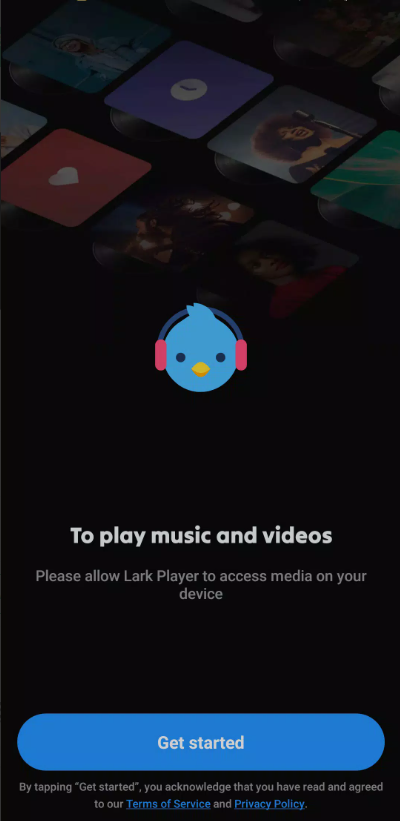
The first time you open Lark Player on Android, the most important permission involves access to your media.
Without that access, the app cannot discover the songs and videos stored on your phone.
On recent Android versions, permissions may be divided into music/audio, photos, and videos rather than giving an application unrestricted access to all storage.
Grant only the media permissions you actually need.
Notifications are optional but useful if you want playback controls available outside the app.
You may also encounter permission requests connected to features such as setting a ringtone or working with particular folders. Evaluate those individually instead of approving every prompt without reading it.
B. Importing Local Music and Videos
One of the things I like about Lark Player is that importing usually does not feel like a traditional desktop software workflow.
You generally do not need to press an “Import 3,000 songs” button and manually select every file.
Once media permission is granted, Lark Player scans compatible files from your device storage and organizes them automatically.
Songs then appear under areas such as:
-
Songs
-
Artists
-
Albums
-
Genres
-
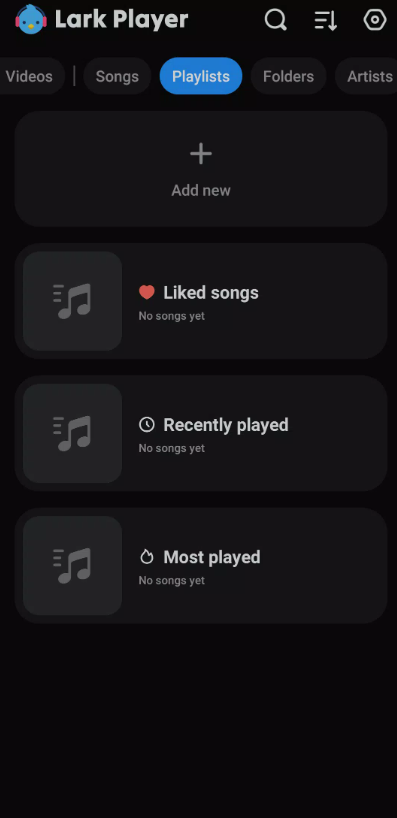
Playlists
-
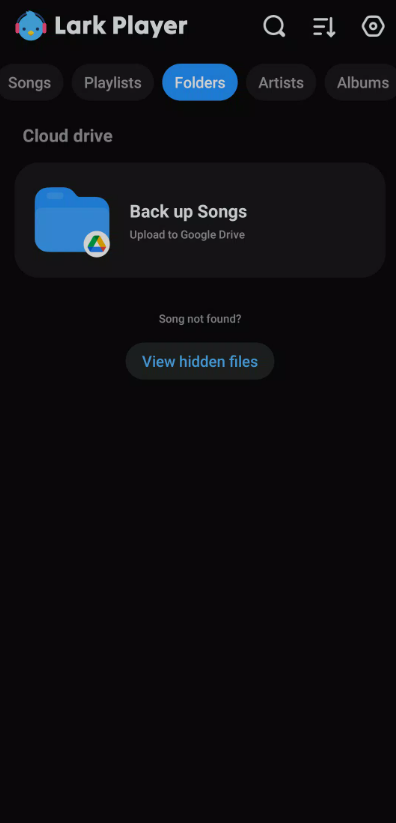
Folders
Videos are organized separately but remain accessible inside the same app.
If you copy new music from a PC later, Lark Player can scan again and add those files to the library.
C. Managing Folders and Media Library
Folder browsing is particularly useful if you organize media manually.
Maybe you keep music inside folders such as:
Workout / Running / Rock / Podcasts / Audiobooks / Study Music
Instead of relying entirely on MP3 metadata, you can navigate the storage structure directly.
Lark Player also lets you create playlists without physically moving files into new folders.
That means one song can appear in your “Gym” and “Road Trip” playlists while remaining stored only once on the phone.
For large libraries, I recommend fixing inaccurate metadata whenever you notice it.
Proper artist, album, song title, and artwork information makes browsing significantly easier once your collection reaches thousands of tracks.
V. Core Music and Video Features
A. Offline Music Player Capabilities
Offline playback is the heart of Lark Player.
Once a song is stored locally on your phone, you do not need Wi-Fi or mobile data simply to play it.
That makes Lark Player particularly useful when:
-
Flying
-
Traveling abroad
-
Commuting through weak-signal areas
-
Hiking
-
Exercising outdoors
-
Conserving mobile data
-
Using an older phone as a dedicated music player
Unlike streaming services, there is no need for Lark Player to continuously verify whether your locally stored song remains available in an online catalog.
If the compatible file exists on your phone, the player can access it.
B. Offline Video Player Capabilities
Lark Player is also a capable local video player.
It can handle popular formats such as MP4, MKV, 3GP, WEBM, and MOV, along with other commonly used media formats.
You can use it for downloaded movies you legally own, personal recordings, class videos, offline tutorials, transferred clips, or other media stored locally.
The video player also includes practical controls for things such as playback and multitasking.
If video is your primary concern rather than music, you may prefer a dedicated video player with more advanced subtitle and codec management. But as an all-in-one music and video app, Lark Player covers everyday playback surprisingly well.
C. Background Playback and Multitasking
Music continues playing while you use other applications.
That sounds obvious, but background playback is one of the most important features in any real music player.
You can answer messages, browse the web, use maps, or check email while your playlist continues.
Videos can also use a floating-player mode on supported Android devices.
A smaller video window remains visible while you interact with another application.
I find this useful for tutorials or spoken videos where you want to keep following the content without dedicating the entire screen to playback.
VI. Audio Quality and Equalizer Tools
A. Built-In Equalizer Presets
Lark Player includes a proper equalizer rather than just a single “better sound” switch.
It provides presets designed around styles such as:
-
Normal
-
Classical
-
Dance
-
Flat
-
Folk
-
Heavy Metal
-
Hip-hop
-
Jazz
-
Pop
-
Rock
Presets are the easiest place to begin.
If a pair of inexpensive earbuds sounds too dull, try a brighter profile. If electronic music feels thin, test one of the bass-oriented settings.
You do not need to understand audio engineering to hear the difference.
B. Bass Boost and Sound Enhancements
Bass enhancement is useful when headphones or small speakers lack low-end impact.
Lark Player also provides additional sound adjustments involving effects such as reverb and sound-field customization.
The official 2026 version additionally promotes a volume booster capable of increasing perceived output beyond the ordinary level.
Use that carefully.
Louder is not automatically better. Excessive volume can create distortion, make inexpensive speakers sound worse, and potentially harm your hearing through headphones.
I generally adjust the equalizer before reaching for aggressive volume boosting.
C. Customizing Audio Profiles
If you regularly switch between devices, a single sound profile may not work everywhere.
My car speakers might need a different EQ from my Bluetooth headphones. Cheap earbuds may need more bass, while studio headphones might sound better with a flatter curve.
Experiment rather than selecting the most dramatic preset.
For lossless formats such as FLAC, I usually recommend beginning with a flat or neutral setting and making small adjustments.
If you push every band upward, you are not necessarily improving quality—you are mostly increasing the chance of distortion.
VII. Playlists, Lyrics, and Customization
A. Creating and Managing Playlists
Playlists are easy to overlook until your library gets large.
Instead of browsing through hundreds or thousands of tracks, you can create dedicated collections for different situations.
For example:
-
Morning commute
-
Workout
-
Relaxing
-
Party
-
Study
-
Running
-
Favorites
-
Old-school tracks
-
Road trip
You can also use shuffle, repeat, and ordered playback modes depending on how you prefer to listen.
This is one area where Lark Player is much more flexible than many basic manufacturer-installed music apps.
B. Real-Time Lyrics Display
Lark Player supports lyrics matched with locally stored songs.
When compatible lyrics are available, they can move in sync with the music.
This is useful for karaoke-style listening, language study, or simply figuring out what a singer actually said in a difficult verse.
Lyrics are not guaranteed for every track.
Rare songs, unusual remixes, incorrectly tagged files, or personal recordings may not match automatically.
The good news is that Lark Player also gives users options for managing or adding lyrics manually when automatic matching fails.
C. Themes, Skins, and UI Customization
The visual side of Lark Player is more customizable than most default system players.
You can switch between day and night designs and customize backgrounds with colors or images.
The current version also emphasizes more colorful backgrounds and landscape-oriented presentation options.
None of this changes audio quality, of course.
But if you keep a music player open for hours every day, a pleasant interface matters.
I prefer darker themes at night because bright white music-player screens are unnecessarily distracting, especially when listening before bed.
VIII. Supported Formats and Performance
A. Supported Audio Formats: MP3, FLAC, WAV, and More
Format support is one of Lark Player's strongest technical advantages.
The Android version supports popular audio types including:
-
MP3
-
MIDI
-
WAV
-
FLAC
-
AC3
-
AAC
-
M4A
-
APE
-
WMA
-
Other common formats
For most users, MP3, AAC, M4A, WAV, and FLAC will cover almost everything they encounter.
FLAC support is especially important for anyone maintaining a lossless music collection.
Instead of converting those tracks into MP3 simply because a basic player refuses to open them, you can keep the higher-quality originals.
B. Supported Video Formats: MP4, MKV, and More
Video compatibility includes widely used formats such as:
-
MP4
-
MKV
-
MOV
-
3GP
-
WEBM
-
AVI
-
FLV
-
WMV
-
TS
-
Additional common formats
Actual playback performance still depends on the codec inside the container and the capabilities of your phone.
Two files can both end in .mkv while containing very different video codecs.
Newer Android devices naturally handle high-resolution and high-bitrate videos more comfortably than older entry-level phones.
C. App Performance and Battery Usage
For ordinary music playback, Lark Player is relatively lightweight.
The most important factor in battery life is usually what you are doing with it.
Playing an MP3 with the screen off consumes far less power than decoding a high-resolution video while running a floating window at maximum brightness.
Lark Player's current feature set also includes a power-saving mode intended to reduce energy use.
If background music stops unexpectedly, however, the problem may actually be Android's battery optimization.
Some manufacturers aggressively suspend applications running in the background. If Lark Player keeps stopping when your screen turns off, check the battery-management settings for the app.
IX. Free vs. Premium Experience
A. Free Features and Limitations
Lark Player can be downloaded and used for free.
The free experience includes many of the features that actually matter:
-
Local music playback
-
Offline playback
-
Video playback
-
Equalizer
-
Lyrics
-
Playlists
-
Sleep timer
-
Themes
-
Background playback
-
Format support
-
File organization
That makes it much more useful than apps where almost every meaningful function is locked immediately behind a paywall.
The main trade-off is advertising.
Google Play currently identifies Lark Player as containing ads and in-app purchases.
B. In-App Purchases and Premium Options
Lark Player also offers a Premium subscription through Google Play.
Premium is sold on a recurring subscription basis, with monthly or annual billing options potentially available depending on your region and current offer.
I would not quote a fixed global price because Google Play pricing can vary by country, taxes, promotions, and account.
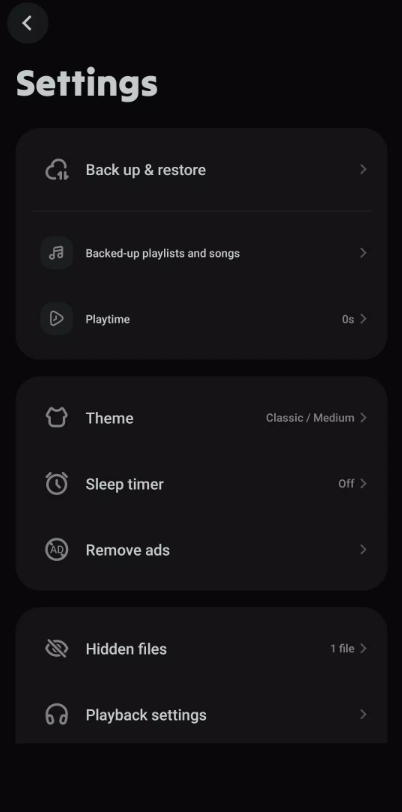
Check the Premium page inside your own copy of Lark Player for the amount you would actually be charged.
The subscription is connected to your Google Play account and normally renews automatically unless canceled.
C. Removing Ads and Extra Features
The clearest Premium benefit is an ad-free Lark Player experience.
For someone who opens the app occasionally, that may not matter enough to justify a subscription.
If Lark Player is effectively replacing your daily music app, removing advertisements can make the interface much more comfortable.
Before subscribing, check the current Premium offer screen because additional benefits can change over time.
My usual recommendation is to use the free version first.
If you are still using Lark Player every day after a couple of weeks and the ads genuinely bother you, Premium becomes easier to justify.
X. User Reviews and Ratings Summary
A. Google Play Store Ratings and Feedback
Lark Player has a very large Android user base.
In August 2026, the Google Play listing shows approximately a 4.6-star rating, more than 5 million reviews, and over 500 million installs.
For a local media player, that is an unusually large footprint.
Ratings should never be treated as proof that an application will work perfectly on every phone, but a review history at that scale is useful because hardware compatibility problems usually become visible fairly quickly.
B. App Store Reviews and User Opinions
There is no meaningful App Store rating for the full Lark Player Android music application because the same app is not currently offered for iPhone or iPad.
This is where I would be cautious with articles claiming Lark Player has some specific iOS rating.
They may be referring to a different app.
The separate Lark Video Player now available on iOS should be evaluated as its own product rather than used as evidence for the full Lark Player music experience.
C. Common Pros and Cons Reported by Users
The strongest recurring positives are easy offline playback, a useful equalizer, lyrics support, customization, playlist management, broad file compatibility, and a generally approachable interface.
Users also appreciate being able to organize existing music without paying for a streaming service.
The most obvious downside is advertising in the free version.
As with many media applications, individual updates can also introduce temporary problems involving album artwork, metadata, background playback, or library scanning on specific Android devices.
Overall, though, the long-term reception remains strong enough that Lark Player has become one of the better-known Android offline media players.
XI. Lark Player vs. Other Music Apps
A. Lark Player vs. Default System Player
A default Android music player usually wins on simplicity.
It may launch quickly, integrate closely with the phone, and provide the basic controls you need.
Lark Player wins on features.
If you care about EQ presets, bass enhancement, synced lyrics, custom themes, folder browsing, multiple media formats, sleep timers, metadata organization, or video playback, the difference becomes obvious.
For someone with 30 songs stored on a phone, the system player may be enough.
For someone maintaining a 3,000-song offline library, Lark Player makes much more sense.
B. Lark Player vs. Other Offline Music Players
Android has no shortage of strong offline players.
Apps such as VLC, Musicolet, Poweramp, AIMP, and other established alternatives each approach the problem differently.
VLC is extremely strong if broad multimedia compatibility matters more than a music-first interface.
Poweramp appeals to users who care deeply about sound configuration and advanced audio controls.
Musicolet is attractive to people who want a lightweight offline-focused experience.
Lark Player's strength is balance.
You get music, video, equalization, lyrics, customization, playlists, floating playback, and a friendly interface without needing much setup.
It is a good general-purpose choice rather than an application aimed only at audiophiles.
C. Best Use Cases for Lark Player
I would recommend Lark Player most strongly for:
People with large local MP3 libraries: Its organization tools are far better than simply opening individual files from a file manager.
Travelers: Offline music keeps working even when mobile data is unavailable.
Students: Audio lessons, recorded lectures, language files, and local videos can all live in one player.
Fitness users: Build an offline workout playlist and leave your mobile data alone.
FLAC listeners: Broad format support means less unnecessary file conversion.
Users with limited data plans: Local playback does not require repeatedly streaming the same songs.
People who dislike subscription-based music libraries: You remain in control of the compatible files stored on your own device.
XII. Privacy, Security, and Permissions
A. Required Permissions Explained
Lark Player needs access to media files because local playback is its entire purpose.
Depending on your Android version and features you enable, you may encounter permissions involving audio, videos, notifications, or other device functions.
Do not confuse necessary media access with permission to do absolutely everything on your phone.
Android lets you review permissions later under the application settings.
If you stop using a feature, you can revoke the related permission.
B. Data and Privacy Policy Overview
According to the current Google Play disclosure, Lark Player states that it does not share user data with third parties through the categories declared in the store.
The listing does indicate that the application may collect several types of information depending on usage.
Google Play also states that data transmitted by the app is encrypted in transit and that users can request deletion of applicable data.
As always, store privacy disclosures are based partly on information supplied by the developer and may change as the application evolves.
Privacy-sensitive users should review the current Google Play Data Safety panel and privacy policy when installing.
C. Safe Download and Trusted Sources
The safest choices are:
-
Google Play
-
The official Lark Player website and official APK
That is all most users need.
I would avoid downloading Lark Player from random APK pages when the publisher already offers an official installer.
Be especially skeptical of modified editions promising “Premium unlocked” or “all ads removed.”
A cracked media application can potentially read your photos, music, videos, downloaded files, and other storage areas you authorize.
Saving the price of a small subscription is not worth exposing your phone to an unknown modified package.
XIII. Tips for Getting the Most Out of Lark Player
A. Optimizing Settings for Offline Listening
Start by cleaning up your music library.
Delete duplicate files, fix badly named songs, organize albums, and exclude folders containing notification sounds or unrelated recordings if they keep appearing as music.
Then create a few playlists based on how you actually listen.
Do not build 40 playlists on day one.
A handful of useful categories is much easier to maintain.
If you have storage space available, keeping music locally in high-quality MP3, AAC, or FLAC format gives you reliable playback without depending on network quality.
B. Using Sleep Timer and Daily Use Features
The sleep timer is one of those features I ignored until I started using it regularly.
If you listen to music, podcasts, ambient sound, or audiobooks in bed, set the timer before you fall asleep.
Lark Player will stop automatically rather than continuing for another six hours.
You can also make use of playback-speed controls for spoken audio.
Slowing down language-learning content can make difficult pronunciation easier to follow, while slightly increasing the speed of long spoken recordings saves time.
C. Customizing the Player for Different Scenarios
Create different sound settings for different listening environments.
For example:
Headphones: Start relatively neutral and make small EQ adjustments.
Gym: A slightly stronger bass profile can work well with energetic music.
Car: Adjust around the limitations of the vehicle's speakers rather than copying your headphone EQ.
Before bed: Use a dark theme, moderate volume, and sleep timer.
Video multitasking: Enable floating playback when you genuinely need to keep watching while working elsewhere.
The point of Lark Player's customization is not to turn every setting on.
It is to configure the player so it disappears into your routine.
XIV. Troubleshooting Common Download and Usage Issues
A. App Not Installing or Updating
If Lark Player will not install from Google Play, begin with the obvious checks.
Make sure your device has enough free storage.
Restart the phone.
Confirm that your internet connection is stable.
Update Google Play services and Android if updates are available.
If you are installing the official APK manually, make sure Android has temporarily granted your browser or file manager permission to install unknown apps.
Also verify that the file finished downloading completely.
If an existing installation refuses to update, clearing Google Play's temporary cache or reinstalling Lark Player may solve the problem.
B. Crashes, Freezes, and Playback Errors
If the app crashes, first restart it rather than immediately deleting everything.
Then restart Android.
Check whether a newer Lark Player release is available.
For playback problems affecting only one file, test another player. If the same song or video fails everywhere, the media file itself may be corrupted or encoded unusually.
For widespread problems, clear Lark Player's cache before clearing all application data.
Clearing data can remove app-specific settings and library information, so treat that as a later troubleshooting step.
C. Fixing Missing Files or Library Scan Issues
When a song exists in your file manager but does not appear in Lark Player, check permissions first.
The app may not currently have access to the folder containing that file.
Next, trigger a library rescan if available.
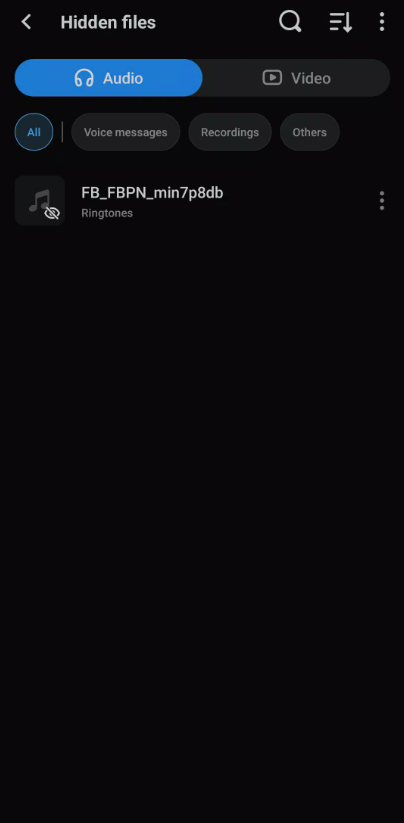
Check whether the folder has been hidden or excluded from scanning.
Also verify that the file format is actually supported and that the filename has a valid extension.
Android storage rules have changed considerably over the years, so moving the affected song into a standard Music folder can sometimes solve access problems on newer devices.
XV. Frequently Asked Questions
A. Is Lark Player Free to Download?
Yes.
Lark Player app download is free on Android.
The free version provides local music and video playback, playlists, equalizer functions, lyrics, themes, background playback, sleep timer, and other core tools.
The application contains advertising and offers optional in-app purchases.
A Premium subscription is available primarily for users who want an ad-free experience and any additional benefits offered in the current subscription package.
You do not need Premium simply to play your own local music.
B. Does Lark Player Work Completely Offline?
For locally stored music and videos, yes—the core playback experience works offline.
If an MP3 or compatible video is already stored on your Android device, you do not need a continuous internet connection just to play it.
However, certain connected functions naturally require internet access.
Examples may include downloading or matching online lyrics, retrieving information, advertisements, account-related services, updates, or cloud backup features.
So I would describe Lark Player as an offline-first local media player, not as an application in which every single feature is guaranteed to operate without a network connection.
C. Which Devices and OS Versions Support Lark Player?
The full Lark Player music and video application currently supports Android devices running Android 4.4 or later, according to its official download information.
It can be used on compatible Android phones and tablets.
There is currently no official full Lark Player version for iPhone or iPad.
A separate Lark Video Player is available on iOS, but it should not be confused with the complete Android music application described in this guide.
If you are searching for Lark Player app download specifically for iPhone, the most accurate answer in 2026 is that the full app remains Android-only.
Let's wrap things up
For Android users who still keep music and video files directly on their phones, Lark Player app download is easy to recommend because it solves a very specific problem without making the experience unnecessarily complicated.
It takes the files you already have and turns them into a proper media library.
Instead of opening MP3s one by one, you can browse albums and artists, create playlists, display synchronized lyrics, change equalizer settings, boost bass, use a sleep timer, customize the interface, play videos, and continue listening while using other applications.
Its biggest advantage is the amount of functionality included in the free experience.
The advertisements will not appeal to everyone, and users who want an entirely ad-free interface can look at Premium. But you do not need a paid subscription simply to unlock the basic purpose of the app.
I also appreciate the format support. MP3 is obviously covered, but compatibility with formats such as FLAC, WAV, AAC, M4A, MP4, MKV, MOV, and WEBM makes Lark Player much more useful for people who have collected media from many different sources over the years.
There are a few limitations worth remembering. The complete app remains Android-only, despite some pages around the web suggesting otherwise. It is also a player rather than a general-purpose music downloader, so you should already have legitimate local files if offline listening is your goal.
For installation, I would stick with Google Play whenever possible. If you need an APK, use the official Lark Player website instead of experimenting with cracked or modified copies.
Once installed, spend a little time organizing your library, fixing metadata, creating a few useful playlists, and adjusting the equalizer for your headphones. After that setup, Lark Player becomes the kind of utility you barely need to think about—which, for an offline media player, is exactly what I want.